Walk down any block in Fremont after sunset and you will see doorbell cameras glowing like tiny portholes. Around the corner, tucked under eaves and garage soffits, you will spot more traditional bullet and turret cameras with fixed gazes. Both aim to deter trouble and capture the moments that matter. They do it in very different ways. If you are sorting through affordable home camera systems, weighing DIY home surveillance against professional installs, or trying to balance privacy with protection, the choice between video doorbells and CCTV deserves a deeper look.
This guide draws on field experience from real installs and post-incident reviews. It covers what each system does well, where it falls short, and how to combine them intelligently. Along the way, it offers home security tips Fremont homeowners often ask for, with practical numbers, tools, and trade-offs that hold up whether you live in a condo, a ranch house, or a split-level with a busy front walk.
What a doorbell camera actually gives you
Start with the obvious. A video doorbell sits at the main choke point for most houses, the front door. That position makes it excellent for face shots, package events, and visitor management. Press the button, and your phone rings. Motion triggers can fire before a press, capturing clips of someone approaching and leaving.
The best models pair a 1:1 or 4:3 sensor with a tall field of view around 140 to 160 degrees, which keeps heads and packages in frame. Two-way audio lets you talk through the door, even if you are across town. For a condo or townhouse with a shared hallway, this can resolve a surprising number of issues without opening the door.
Most doorbells run on existing low-voltage wiring, 16 to 24 volts, or a built-in battery. Battery models simplify installation but need charging every few months. Wired models demand a compatible transformer and a bit more work, yet reward you with continuous power and better pre-roll buffering, which means the camera captures a second or two before motion starts. That pre-roll often contains the face you actually need.
Doorbells are designed for the threshold, not the yard. They rarely cover side gates, driveways, or rear sliders. They also struggle with oblique angles, like a thief hugging the wall to avoid the lens. In short, doorbells are ideal for what happens at the front. For everything else, you need more coverage.
What CCTV contributes, beyond the front step
CCTV in the residential sense typically means fixed or motorized cameras routed to a network video recorder. Think multiple zones: driveway, side yard, backyard, and one or two angles on the front. The cameras carry wider horizontal coverage than doorbells, and they can be mounted at heights that make tampering harder. Properly placed, they record useful timelines: who parked on the street at 2:11 a.m., which gate opened, when lights came on.
A key advantage is retention. With a 4 to 8 terabyte hard drive, you can store 14 to 45 days of continuous video for four to eight cameras at 4K with smart encoding. Cloud subscriptions are optional. Even with motion-only recording, an on-premises recorder gives you the freedom to review hours of footage without punishing upload bandwidth.
CCTV also tolerates custom optics. You can choose 2.8 mm lenses for wide scenes or 6 mm lenses to tighten a driveway approach. You can add a license plate capture camera with a global shutter and dedicated infrared. These are camera types a video doorbell does not attempt to mimic.
The common downside is complexity. Pulling cable, drilling through stucco, grounding surge protectors, aiming infrared to avoid reflective washout, and setting motion zones on an NVR takes time. If you want smart home integration with CCTV, like triggers to turn on floodlights, you need a hub or automation platform that speaks the same language as your cameras or recorder. If you want remote access, you need to lock down port forwarding or use the vendor’s relay, then secure accounts with strong authentication.
The real differences that matter day to day
You can compare specs across a dozen models and still miss the practical differences. Focus on what you will experience, on a Tuesday afternoon and at 3 a.m.
Responsiveness comes first. Doorbells often wake faster on motion around the threshold than a general-purpose camera. They are tuned to send push alerts within a second or two of a button press. That immediacy makes them feel more interactive. If you care about answering the door remotely, a doorbell wins.
Coverage comes next. CCTV is geometry. It gives you angles, not conversations. When placed at 9 to 12 feet high, with overlapping fields of view, it creates a stitched record of a day’s events. If you care about capturing how someone approached, what car they used, and where they went next, CCTV wins.
Upfront and ongoing costs differ too. A premium Wi-Fi doorbell plus a subscription for 60 days of clips might sit between 3 and 8 dollars per month per device, sometimes with a bundle for multiple devices. A four-camera PoE kit with an NVR and 2 TB drive can run 300 to 900 dollars up front, with no monthly fee. If you expand later, add another 80 to 180 dollars per camera, depending on resolution and low-light performance. One is more subscription-friendly; the other front-loads your budget.
Bandwidth and storage considerations show up immediately with CCTV. Eight 4K cameras at 15 frames per second can push 40 to 80 Mbps on your local network while recording to the NVR. Your internet upload does not carry that load unless you stream remotely, but it is a lot of data on the LAN. A doorbell, by contrast, impacts Wi-Fi minimally unless you stream constantly.
Privacy feels different as well. Neighbors accept a doorbell facing your stoop with less concern than a turret aimed near their driveway. That social factor matters. In Fremont and similar neighborhoods, I have seen friction avoided by using narrow lenses and masking zones that ignore a neighbor’s yard. Doorbells rarely require those conversations.
Motion detection for homes, and why it fails at the worst times
Both doorbells and CCTV systems promise motion detection. They achieve it in different ways. Commodity cameras use pixel change detection, which triggers when parts of the frame differ between consecutive frames. Smarter models use person, vehicle, and package classification, built on-device or in the cloud. The jump from general motion to object-based alerts is the difference between dozens of wind-driven false alarms and a handful of meaningful pings.
Still, even solid systems get it wrong in edge cases. Headlights raking across a wall can look like movement. Spider webs near the lens glow under infrared and set off a storm of alerts. Heavy rain creates flicker. Solve these with a mix of hardware and zoning. Keep cameras slightly under an eave to reduce wind-driven debris. Use insect deterrent spray around housings during summer. Point infrared away from shiny surfaces like white vinyl fences. Set detection zones that ignore the street and focus on the path to your door or the first ten feet of your driveway. On doorbells, trim shrubs that whip during gusts, and set people-only alerts if the model supports it.
Night vision camera guide that actually helps when it is dark
There is a world of difference between a spec sheet that says “night vision up to 30 meters” and a clip that yields a usable face. What matters is the type of sensor, the infrared pattern, and nearby light sources.
Look for cameras with larger sensors, 1/1.8 inch or 1/2.8 inch, and F1.4 to F1.6 apertures. These pull more light per frame, which reduces blur at modest shutter speeds. For true color at night, some models use a warm white LED to keep color detail. That can be great for identification but may annoy neighbors unless you dim it and schedule it.
Avoid blasting infrared straight into a wall three feet away. It will bounce back, overexpose the foreground, and wash out the background. Angle the camera to keep IR cones clear, or choose cameras with adjustable IR intensity. If you need faces at night, aim for 10 to 15 feet of clean approach distance. For driveways, pair a camera with a motion-activated floodlight. You will capture plates and faces with much more clarity.
Doorbells often run smaller sensors and tiny IR emitters, yet benefit from porch lights. A simple dusk-to-dawn LED on your stoop elevated to 800 lumens can make the difference between a black-and-white silhouette and a clear face. If you are serious about home burglary prevention, make that porch light part of your baseline.
Smart home integration with CCTV and doorbells, without the headaches
Smart home integration is attractive on paper, then complex in practice. Doorbells from major brands tie into their ecosystems with ease. You can route a press to a smart display, cast a live view to a TV, or have an automation say, if the doorbell sees a person, turn on the foyer light for five minutes. These work because the vendor owns the stack.
CCTV is more varied. Some recorders support ONVIF and RTSP, which let you pull streams into Home Assistant, Apple Home via a bridge, or Alexa routines. You might set a rule that says, if the side-yard camera detects a person after 11 p.m., flash a porch light and send a snapshot to your phone. Expect to spend time with port numbers, authentication tokens, and the recorder’s event system. Once configured, it is rock-solid.
One note: keep security in front. Use unique passwords for cameras and the recorder. Disable remote access unless you need it. If you enable it, use the vendor’s relay or a VPN, not open port forwarding. Turn on multifactor authentication where offered. It is not paranoia. It is insurance against devices that sit on your network for a decade.
DIY home surveillance versus hiring it out
Plenty of homeowners in Fremont handle their own installs on a weekend, and plenty of others hire it out after one look at a stucco exterior and ladder height. Decide based on factors you cannot change: your exterior materials, attic access, soffit depth, and tolerance for drilling. A basic doorbell swap falls in the DIY category for most people. Measure transformer voltage, shut off power at the breaker, connect leads, and test chime compatibility. Budget 45 to 90 minutes.
A modest CCTV install for a single-story ranch with an accessible attic and vinyl soffits is also within reach. Plan camera positions on paper, run CAT6 from each position to a central closet, terminate ends with keystone jacks or crimped plugs, and test with a simple network tester before mounting hardware. Budget a day for four cameras if you are new to pulling cable.
Two-story homes, homes with finished attics, or stucco that requires careful drilling add complexity. You may need masonry bits, fish rods, conduit stubs, and sealant. The margin for error tightens. That is a good time to bring in a pro who has done this a hundred times. You will get cleaner runs, drip loops that resist water intrusion, and appropriate grommets. It also buys you a warranty.
The question everyone asks: which is better for burglary prevention?
Burglars adapt to what they see. Cameras that are visible and obviously recording tend to deter opportunistic theft. Strategic lighting, trimmed hedges near entry points, and a sign indicating recording reduce attempts before they start. From incident reviews, the most common prelude to a break-in is a knock and a wait. The intruder checks occupancy. A doorbell camera disrupts that routine, because they are on-camera the moment they approach. Even if they leave, you have a face and a time stamp.
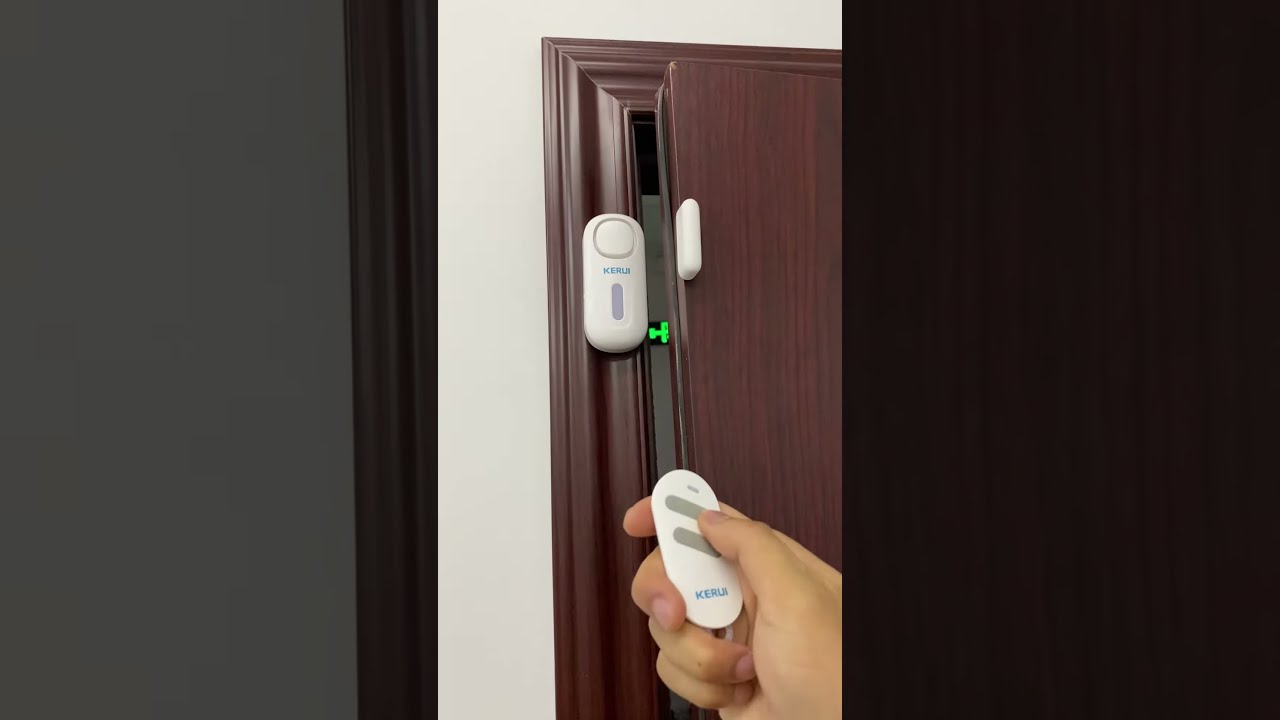
Actual forced entries often come through side gates and rear sliders. This is where CCTV matters. A camera with a good angle on the side yard deters loitering and captures approach paths. A camera facing the rear slider, paired with a contact sensor on the door, provides both video evidence and an instant alert. If you must choose just one category for burglary prevention, pick the one that covers the path your house presents. On a corner lot with a concealed yard, CCTV does more heavy lifting. On a row house with only a front door exposure, a doorbell and a single well-placed rear camera might be enough.
Cost realities and what “affordable” really means
Affordability depends on your goals. If you want a visible deterrent and proof of doorstep events, a 150 to 300 dollar doorbell with a modest subscription is a strong start. If you want coverage of three sides of the house with useful night video, budget 500 to 1,200 dollars for a PoE kit and expect a half day to a full day to install. Do not skimp on the recorder’s hard drive. Four terabytes is a practical minimum for 4K cameras if you want more than a week of retention.
Hidden costs pop up. For doorbells, you may need a higher-rated transformer to keep the device awake in cold weather, especially if it runs a lot of two-way audio. For CCTV, you may need a small UPS to ride through blips and keep your NVR cleanly shut down. Add weatherproof junction boxes for clean terminations, plus sealant and paint. These are one-time buys, not monthly fees.
A Fremont-specific note on connectivity and neighbors
Many Fremont neighborhoods run dense Wi-Fi, especially in multi-unit communities. A doorbell on 2.4 GHz can fight congestion at dinnertime. If your router supports it, give the doorbell a dedicated SSID or move it to 5 GHz if the model allows. Ensure at least two bars at the mounting location. For CCTV, PoE avoids Wi-Fi entirely, which is one reason it stays stable in dense areas.
Neighbors appreciate communication. If a CCTV lens borders their property, use privacy masks to block their windows or yard. Mention your intent. Most people are fine when they see you are aiming to protect your own property, not spy. That social step often matters more than a posted sign.
Choosing the best cameras for home security based on real scenes
When selecting hardware, start from scenes, not marketing. Identify your priority angles: face at the door, person at the side gate, car in the driveway. Measure distances. Pull up sample footage from the exact model at night, not just day footage. Colors shift at night, and facial detail falls apart if the lens, sensor, and IR do not match the environment.
For a doorbell, a 4:3 aspect ratio helps keep both faces and packages in frame. Seek person and package detection, pre-roll buffering, and solid two-way audio. Prefer wired power if feasible. For CCTV, pair at least one 4K varifocal camera on the driveway with a 1/1.8 inch sensor so you can tune the framing. On side yards, a 2.8 mm wide lens covers the gate and fence line. On the back patio, avoid mounting too high. Head heights matter for identification.
If you need license plates at night, consider a dedicated camera set to a faster shutter and lower gain, pointed at a choke point where cars slow. It may look darker overall, but plates will be legible when other cameras fail. That specialty camera complements, it does not replace, your general coverage.
Family safety technology that actually helps
Security tools help most when they reduce friction. Family members will not use a clunky system. A doorbell that rings indoor chimes, sends a phone alert, and displays on a kitchen smart display becomes part of the daily routine. A camera system that bookmarks events when a door sensor opens makes searching simple. A child arriving home at 3:20 appears as a clean clip with a label, not a 45-minute block of footage.
Emergency scenarios benefit from little things. Name your cameras logically: “Front Door,” “Side Gate,” “Back Slider,” not “CAM1.” If something happens, a family member can pull up the right view quickly. Keep live views accessible on a tablet or TV during vacations for house sitters. Put the NVR on a UPS so a brief power loss does not corrupt recordings. If you use a monitoring service, give them camera access only to necessary views and log it.
When to pair both, and how to keep it coherent
Doorbells and CCTV complement each other. Many of the best setups use both. The doorbell handles interaction and immediate alerts at the threshold. The CCTV system tells the story of approach and departure. If you go this route, try to keep the ecosystem manageable. Either choose a doorbell that plays nicely with your recorder or accept that you will have two apps and design around that.
One pragmatic approach is to use the doorbell app for visitor interactions and short-term clip review, while using the NVR for broader searches and archival. You can route doorbell motion to your smart home platform, which in turn can command lights and send consolidated alerts. This reduces notification fatigue. A single message that says “Side Gate person detected, lights on back patio turned on” is more useful than three separate pings.
A compact decision helper
- Choose a video doorbell if your primary concern is visitor management, package theft at the stoop, and quick two-way communication. Prefer wired power, person detection, and good pre-roll. Choose CCTV if you need multi-zone coverage, longer retention, and better angles on side and rear entries. Prefer PoE cameras with larger sensors and an NVR with adequate storage. Pair both if your house presents multiple approach paths or you want both intercom-like convenience and comprehensive timelines. Keep the network simple. Wire where you can, segment devices if possible, and secure remote access with MFA or a VPN. Design for the night. Add light where facial identification matters, and tune IR so it does not blind your scene.
A few field-tested home security tips Fremont homeowners ask for
Street-facing cameras that sit too low invite tampering. Mount them high enough to resist casual grabs, then add one lower camera closer to eye level that covers the same zone. Redundancy costs less than a lost angle on the day you need it.
Avoid facing cameras directly at active sidewalks or streets unless you plan to spend time tuning detection zones. Capture your property line inward. This reduces false alerts by an order of magnitude.
Use simple, reliable lighting. A 1,000 to 1,500 lumen motion flood over the driveway does more for identification than a noisy siren. Keep motion sensitivity low enough to avoid triggering on passing cars. If you own smart bulbs or a hub, layer a rule that keeps the lights on for two to three minutes after motion ends. People do not like to linger in bright light.
On Wi-Fi doorbells, measure the RSSI at the install spot before you drill. A phone test can be misleading. If in doubt, add a wired https://trentonjfae283.bearsfanteamshop.com/digital-transformation-for-smes-a-roadmap-from-paper-to-platform access point near the front of the house and backhaul it over Ethernet. A stable link beats troubleshooting dropouts through stucco and foil-backed insulation.
If privacy is a concern in a tight neighborhood, use privacy masks aggressively. They are standard in decent CCTV systems. A masked area records, but the masked pixels stay opaque during playback, which protects your neighbor’s yard while preserving your timeline.
Where each system shines, with example scenarios
Consider a bungalow on a quiet Fremont cul-de-sac. Packages disappear occasionally. The front step is visible from the street. A wired doorbell with people and package detection plus a light that stays on until 10 p.m. solves 90 percent of the problem. You answer rings from the office. You have clips of deliveries. The visible camera head deters casual snoops.
Now consider a larger home near a busy intersection. The driveway curves, and side gates lead to a backyard. Here, a four-camera PoE system aligned with driveway, side gate, patio, and front porch, plus the existing doorbell, creates coverage that supports both deterrence and evidence. If a car pulls in at 2 a.m., you have angles that track it. If someone tries the side gate, a person-detection alert fires and floods come on. You wake up to an annotated timeline, not just a random motion clip.
Finally, consider an upper-floor condo in a building with a controlled lobby. Many associations do not allow exterior cams on common areas. A doorbell may be impossible. In that case, put attention on interior safety: a peephole viewer with recording, a camera covering your entry from inside, and integration with the building’s intercom if permitted. Security here relies more on building policy than individual gear.
The sensible path forward
Start with your threat model and daily habits. Walk your property at dusk. Stand where you expect trouble could start. That is where the camera belongs, not where the wiring is easiest. Decide what you need to know after an incident: a face at the door, a car in the driveway, a person at the side gate. Map those needs to scenes. One scene can justify a doorbell, two to four scenes push you toward CCTV, and a mix often gives the best outcome.
Set a realistic budget for gear and a small cushion for supporting parts like junction boxes, sealant, and a UPS. Plan for night. Control false alerts. Keep your network and accounts secure. If you want the convenience of a quick install, pick a strong doorbell and expand later with one or two PoE cameras in critical spots. If you value long retention and comprehensive coverage, commit to an NVR and learn its software. Neither path is wrong. Each serves a different idea of safety.
When people ask which system is right, the honest answer is to choose the one that fits the way your home gets used. A front-facing, social house benefits from a responsive doorbell. A complex lot with side and rear exposures benefits from layered CCTV. Put them together and you get a durable mix: a friendly face at the threshold and a quiet, steady eye where it counts.